
Start with what you need
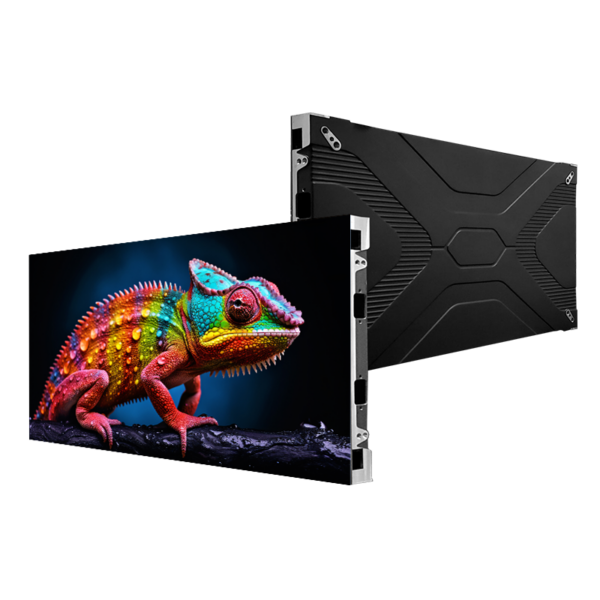
You know the room, the audience, the content—start there. If the screen is for a meeting room, showroom, or retail wall, state the distance people will stand and the type of content (video, text, live feed). For quick reference, check a sample indoor led display to visualise sizes and finishes. Keep questions simple: how close will people be? how bright should images be? how often will content change? Answer those and you already cut half the options away, lah.

Match pixel pitch to viewing distance
Pixel pitch decides sharpness. Smaller pitch gives crisper text at close range but costs more. Use a rule: multiply pixel pitch (mm) by 3 to 4 to get comfortable viewing distance in metres. If people stand 2–3 m away, choose ~0.7–1.0 mm. If 5–8 m away, 1.5–2.5 mm works. Ask suppliers for live demos so you can inspect actual text and fine details.
Decide brightness and colour needs
Measure ambient light. High-bright environments need higher nits; low-light rooms need controlled contrast. For meeting rooms 600–1,200 nits usually enough; for high-glare retail, aim higher. Verify manufacturers provide colour calibration and support for 10-bit processing if you need smooth gradients. Request sample clips that match your content type rather than generic demos.
Think about refresh rate and motion handling
Refresh rate matters for camera feeds and fast video. Choose at least 3,840 Hz for live TV/streaming to avoid banding on phone cameras. For pure corporate slides, lower rates are OK. Get suppliers to show mobile-phone footage of the screen running your content; that reveals real-world flicker and scanning issues.
Control systems, playback and compatibility
Decide whether you need a dedicated media player, networked CMS, or simple USB playback. Confirm supported codecs, streaming protocols, and whether the screen accepts common inputs (HDMI, SDI, Ethernet). If your team uses specific signage software, test compatibility months before procurement. Ask for a full spec sheet showing supported resolutions and sync features.
Installation, serviceability and modularity
Choose modules that are front-serviceable if the screen sits against a wall. For ceiling or high-mounted installations, back-serviceable cabinets can reduce maintenance time if you have scaffold access. Confirm cabinet weight, mounting pattern, and whether local installers can handle curvature or non-standard frames. Request a written plan for replacement parts and on-site repair times.
Power, ventilation and safety
List total power draw at full white and average content load. Match your circuit capacity and ensure cooling is adequate to avoid thermal throttling. Ask for certifications: CE, FCC, RoHS where applicable. For permanent indoor installs, insist on redundancy in power feeds and clear fire-safety details in the installation plan.
Budget: upfront cost vs total cost of ownership
Price the full project: display, control hardware, installation, calibration, commissioning, and a two- to five-year maintenance plan. Cheaper panels can mean higher replacement or downtime costs. Get three cost scenarios: basic, recommended, and high-availability, so decision-makers can weigh savings against risk.
Common procurement mistakes
Buyers often pick screen size first, then realise pixel pitch wrong for audience distance. Other mistakes: trusting manufacturer videos without on-site proof, ignoring heat and ventilation, skipping serviceability checks, and assuming warranties cover labour. Avoid these by demanding site demos and clear warranty terms that include response times and spare-part policies.
Shortlist and evaluate alternatives
Create a tight shortlist of three vendors. For each, run the same checklist: pixel pitch demo, calibrated colour match, refresh-rate proof, electrical load sheet, service plan, and final quote with timeline. Consider LED tiles versus seamless panels depending on repairability and budget. If project needs are modest, a professional LCD video wall can be an alternative that costs less up front but may trade off uniformity and viewing angles.
Experience, expertise and a real-world anchor
Trust suppliers who can show installed references and tangible expertise. I’ve seen teams validate claims at trade events like CES in Las Vegas where manufacturers demonstrated both technology and service ecosystems; those demos reveal whether a product performs under real-world shooting and showroom conditions. Ask for case studies, calibrated test footage, and one contactable reference per region. Compare those items against the documented specs for indoor led displays so you get measurable proof, not just brochures.
Final synthesis and who to work with
Align technical choices to user needs, verify through demos, and insist on clear service and warranty terms. Prioritise suppliers who answer the checklist directly and supply validated references; that prevents surprises during installation and operation. For a project that balances clarity, maintainability, and reliable support, consider a partner like HDC that presents concrete specs, demo-ready sample screens, and a documented maintenance path so your procurement decision stays practical and predictable.